How to turn flat-lay clothing photos into model images
You can create an on-model clothing concept from a single flat-lay, hanger, or mannequin photo with VirtualTryOn's AI fashion model generator. Upload the garment, choose an adult model direction and scene, then review the generated image against the original. A person photo is not required for this workflow.
Create a fashion model image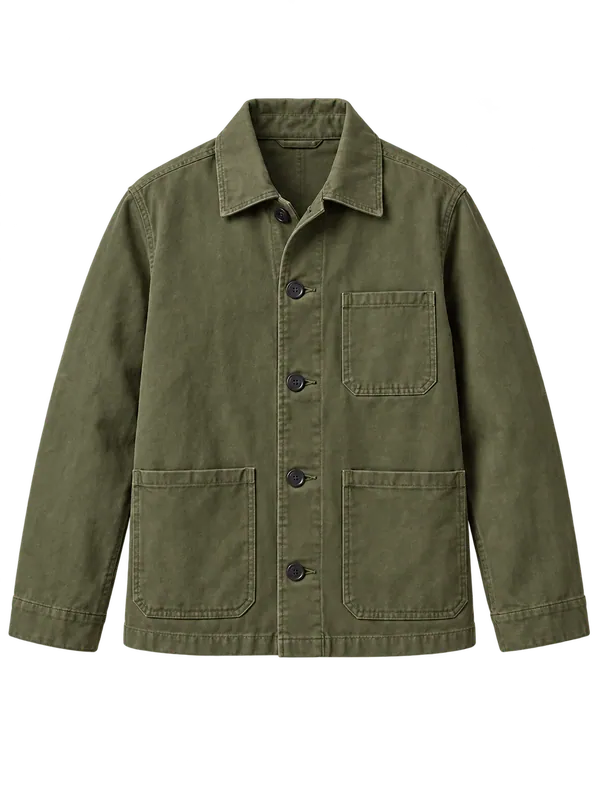 Garment reference
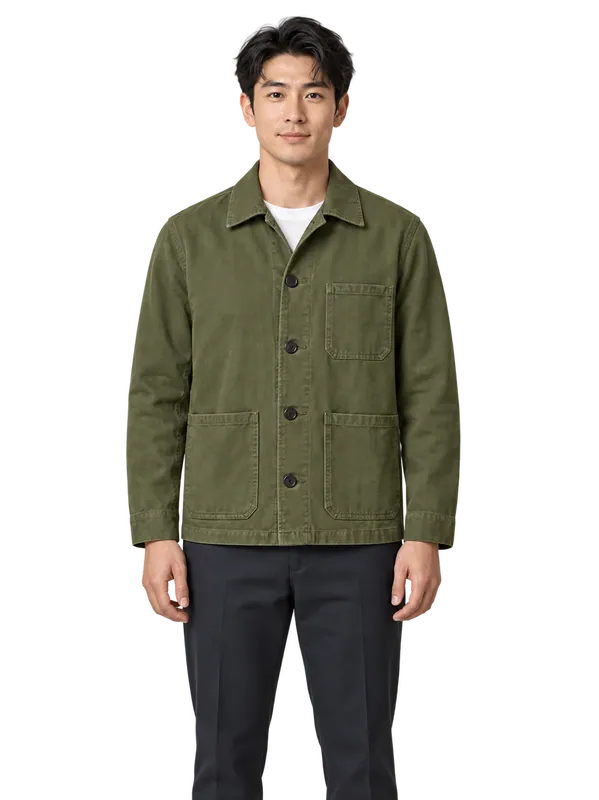 Illustrative on-model result
Prepare a reference that describes the real garment
Photograph one item on an uncluttered background with even light. Show its full outline, including sleeves, neckline and hem. Straighten folds that hide important construction, but keep the actual fabric and silhouette visible. A collage of different products gives the model conflicting references.
Upload JPEG, PNG or WebP, up to 10 MB. A clear hanger or dress-form photo can also work. An existing ghost-mannequin packshot is an input option; this tool creates a synthetic person wearing the item, not an invisible-mannequin cutout.
Choose a model direction and generate
Open the AI fashion model generator and upload your clothing reference. Set the available adult model, pose and scene controls. Start with a plain studio scene when product visibility matters more than atmosphere. Generate one image, then inspect it before spending credits on more variations.
If you need a specific real person, use the virtual try-on tool with a permitted person photo and the garment reference instead. Model generation and trying clothes on your own photo are different tasks.
Check the image before using it in a listing
Compare neckline, sleeve length, buttons, seams, print placement and hem with the original product. Inspect logos and lettering at full size. A plausible image may still invent a fastening or change the fabric. Do not present invented details as product facts.
Keep real product photographs and measurements available to shoppers. Confirm the image rights and the destination platform's rules, and identify generated imagery where appropriate. The output cannot prove physical fit, fabric weight or manufacturing accuracy.
Questions about this workflow
Do I need to photograph or hire a model?
The fashion model workflow accepts a garment image and generates a synthetic adult model. It does not require a person photograph. A real photoshoot may still be necessary when exact product evidence matters.
Can I generate a whole catalog at once?
The public studio works with one uploaded garment at a time. It does not currently offer a bulk catalog upload or a Shopify integration.
Will the logo and print stay exact?
Exact reproduction is not guaranteed. Check text, print position, seams and fine details against the original, and reject inaccurate results.
Try it with your own reference
Eligible guests can try one free image shared across the studio. Further use requires available credits. One-time credit packs are available without a subscription, and purchased credits never expire.
Create a fashion model imageSee current pricing and credits · Image privacy and retention