How to preview clothes on your photo before buying
To preview a garment on yourself, use VirtualTryOn's AI clothes changer with two images: your person photo and a separate clothing reference you have permission to use. The generated result can help you compare visual styling. It cannot tell you which size to buy or whether the garment will fit comfortably.
Preview an outfit on your photo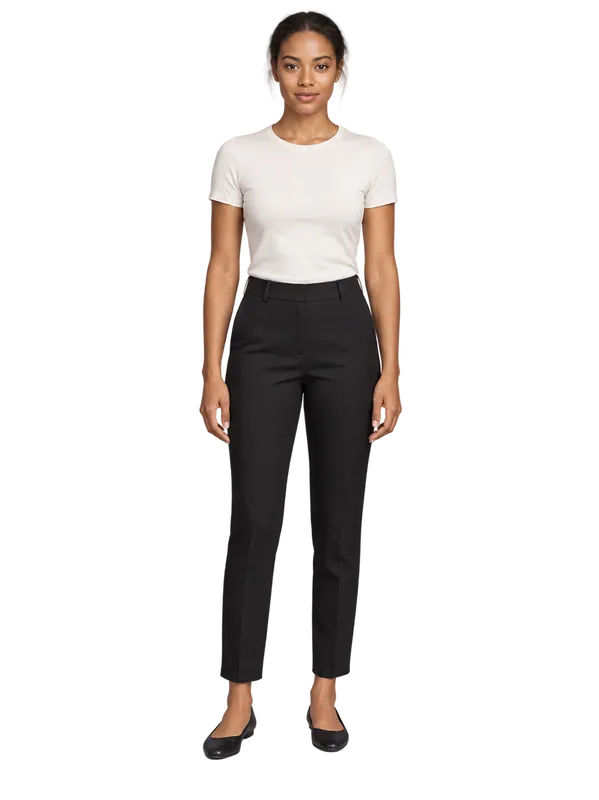 Person reference
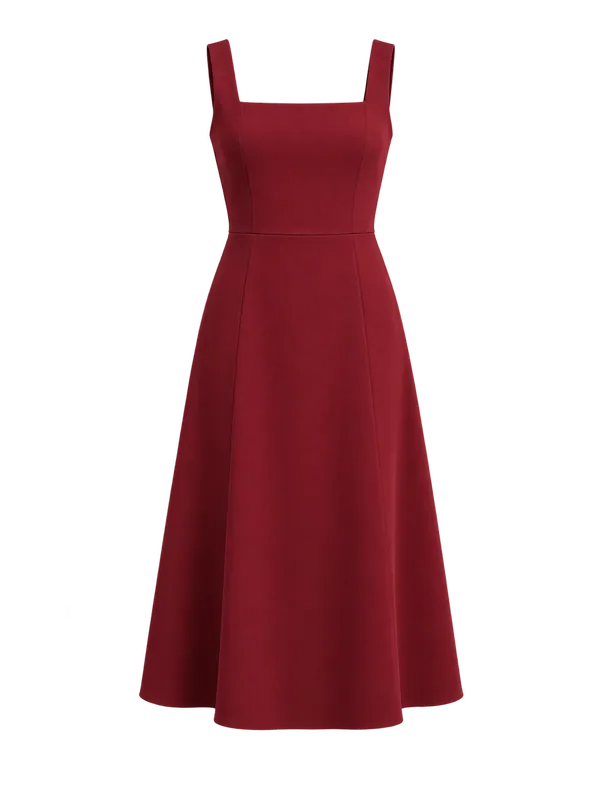 Clothing reference
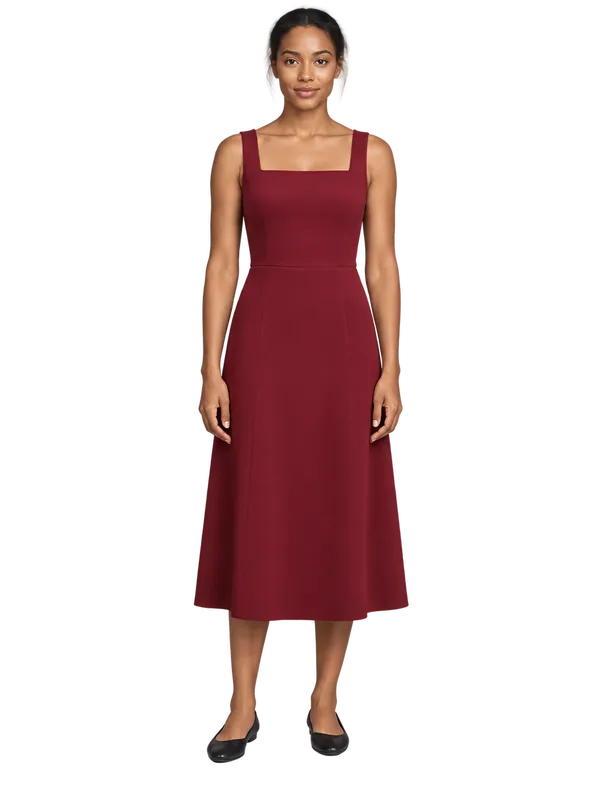 Generated preview
Start with two clear photos
Use an evenly lit, front-facing person photo with the clothing area visible. For a long dress, include the legs and space below the hem. Crossed arms, bags or hair covering the garment can obscure the edit. Only upload your own photos or images you have permission to use.
Add a separate product, flat-lay or hanger image of one garment. Include the details you want to compare. The studio accepts JPEG, PNG and WebP images up to 10 MB each. Upload images through the studio; pasting a shopping URL is not supported.
Keep one reference stable while comparing outfits
Select Original pose to base the preview on the person photo. Generate and download a result, then keep that same person reference while changing the garment. This makes differences in styling easier to compare. The original upload remains your comparison source.
Four views is a separate signed-in option. It produces front, left, right and back views and re-stages the person in an upright pose on a plain studio background. It does not preserve the original scene, and unseen garment details may be invented. Each finished view uses one credit.
Separate appearance from physical fit
Use the output to discuss a neckline, color combination or overall style. Check faces, hands and the garment edges for changes. Fine prints, logos and seams can drift between generations.
Choose size using the seller's measurements, size chart, fabric information and return policy. A generated picture does not measure your body, model stretch or predict comfort. It should not be the only evidence for a purchase. If the only question is color, recolor the clothing already in your photo instead of swapping the garment.
Questions about this workflow
Can I use this on my phone without installing an app?
Yes. The studio runs in a mobile or desktop browser. Upload the two photos and download the finished result.
Can I try it before creating an account?
Eligible guests can generate one free image shared across the three tools, subject to eligibility and usage limits. Four views requires sign-in. Further generations use available credits; see pricing for current allowances.
Are my results public?
Signed-in results are kept in your private library until you delete them. Sharing is a separate action. Download guest results to keep a copy, and read the privacy policy for input and account retention details.
Try it with your own reference
Eligible guests can try one free image shared across the studio. Further use requires available credits. One-time credit packs are available without a subscription, and purchased credits never expire.
Preview an outfit on your photoSee current pricing and credits · Image privacy and retention